
Recognize the failure pattern
When an event’s visuals disappear, it’s not just embarrassing — it’s lost revenue, fractured audience attention, and last-minute scrambles. Event producers repeatedly report the same root problems: wrong pixel pitch for viewing distance, heavy frames that slow rigging, and control systems that don’t match content pipelines. If you’re planning a modular setup, consider a trusted led wall rental as a flexible way to test configurations before committing to purchase.

Pinpoint what’s actually breaking
Break the problem into measurable parts: brightness and contrast, mechanical fit (weight, mounting), signal flow (input formats, frame rate sync), and serviceability (module swaps, local control). Check each part against the venue: ambient light dictates brightness and HDR handling; ceiling rigging limits weight per point; content sources determine required inputs. Treat each mismatch as a separate repair task rather than a single “screen” problem.
Experience, evidence, and a real-world anchor
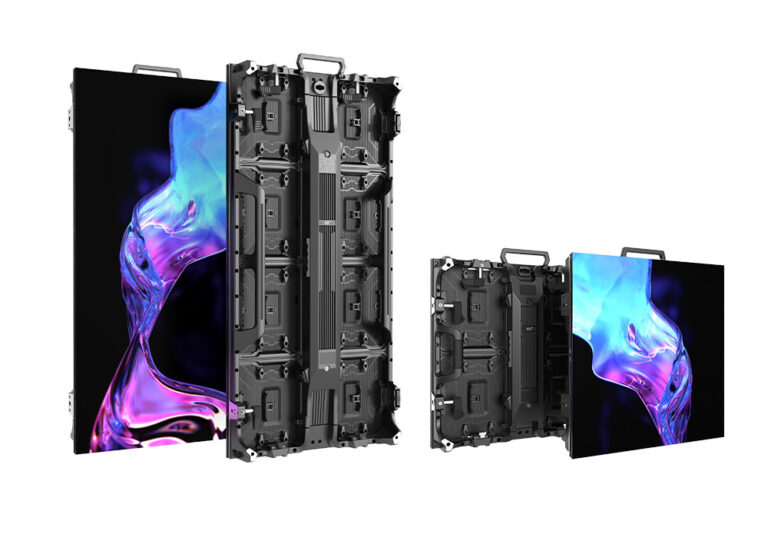
I’ve run deployments where a last-minute change from outdoor to indoor viewing forced a swap in pixel pitch — that operational detail separates success from visible pixelation. Major shows like CES in Las Vegas routinely demonstrate how rental solutions adapt to varied booth sizes, which explains why production teams rely on proven rental fleets. For practical reference, many teams evaluate a rental led display to validate brightness, color calibration, and rigging before buying hardware for permanent installs.
Step-by-step selection checklist
1) Measure viewing distances and set minimum pixel pitch to avoid visible tessellation. 2) Specify brightness in nits for worst-case ambient light plus 20% headroom. 3) Match control protocols (sFP, SDI, HDMI) to your content chain; insist on frame-locked inputs for motion-heavy shows. 4) Confirm mechanical specs: hanging points, wind load for outdoor stages, and the max weight your rigging can safely support. 5) Ask for module hot-swap capability and local diagnostics so you can repair without bringing the whole show down. 6) Pilot with a rented panel to validate these items under live conditions.
Common mistakes and how to fix them
People pick displays by price, not by system fit. Fix: prioritize pixel pitch, serviceability, and proven rigging procedures over a nominal cost saving. Another mistake is ignoring thermal design; panels that overheat dim or fail mid-event. Fix: demand thermal specs and test under the expected operating temperature. Teams often underestimate cable lengths and signal repeaters; plan the signal path and include spare extenders in the kit.
Wrap-up and practical result
Solve the visible problems first, then lock in the system-level choices that prevent repeat failures: the right pixel pitch for your audience, mechanical designs that match your rigging, and a control chain that handles your content. For many operators balancing trial runs, scale, and reliability, the hands-on capabilities and rental testing options you need are exactly what HDC documents and supports.